How a QR code payment works
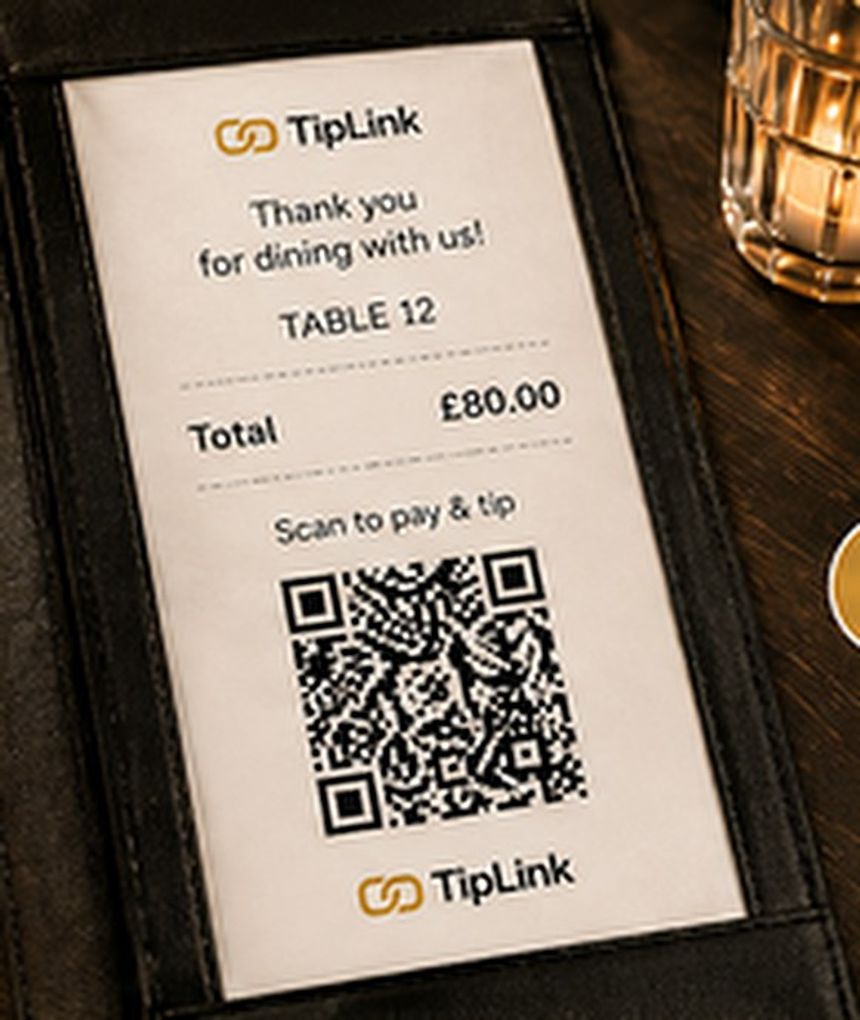
The guest points their phone camera at a QR code. The phone offers a link, and the link opens a payment page in the browser. The page shows the venue and the total, the guest adds a tip if they wish, and they pay.
What makes a QR code payment safe
- The payment happens on a secure hosted page, so card details are not read out or handed over
- The guest's card stays in their hands for the whole payment
- The page shows the venue name and the total before anything is paid
- Apple Pay and Google Pay let the guest pay without typing card details
- The provider runs on a platform built to meet card industry standards
TipLink runs on the SOTpay platform, supports PCI DSS and Visa VAMP compliance, and is Apple Pay and Google Pay enabled.
The main risk: tampered codes
The risk with QR codes is a fake code. Someone can stick a different code over a genuine one, and a guest who scans it lands on a page the criminal controls. It is a known problem with printed codes that stay in one place for months.
| Approach | Risk |
|---|---|
| Static sticker fixed to the table | Easy to cover with a fake sticker, and a guest has no way to tell |
| Code printed on each bill | Harder to replace, and the page shows the venue and the exact total |
With TipLink the code sits on the bill, and the guest sees the total on the payment page before they pay. Staff can also glance at a bill and spot anything that looks wrong.
Will guests use it?
Most guests already carry a phone with a camera, and a wallet app that holds their card. That removes the usual objections to paying by phone: no app to install, no account to create and no card details to type. For the guest, the payment is a scan, a tip choice and a tap. For more on the guest side, read what is pay at table.
Questions about QR code payments
Are QR code payments safe in restaurants?
They can be, when the code opens a secure payment page from a provider the venue has chosen. The guest's card stays in their hands, and the payment is made on a hosted page rather than handed to staff.
Can a QR code be tampered with?
Yes. A fake sticker can be placed over a genuine code. Printing the code on each bill, rather than fixing a sticker to the table, reduces that risk.
What should a guest check before paying by QR code?
Check that the payment page shows the venue name and the correct total, and that the page address looks right before entering card details.
Do guests need an app to pay by QR code?
No. With TipLink the payment page opens in the phone's browser as soon as the code is scanned.
Can guests use Apple Pay or Google Pay?
Yes. TipLink is Apple Pay and Google Pay enabled, so guests do not have to type card details.